pcr (no args)
Interactive help browser
pcr
Run pcr with no arguments to open an interactive help browser. Each command is listed with its purpose, when to reach for it, and worked examples — press enter on a row to run it, or y to copy the example to your clipboard for commands that need arguments.
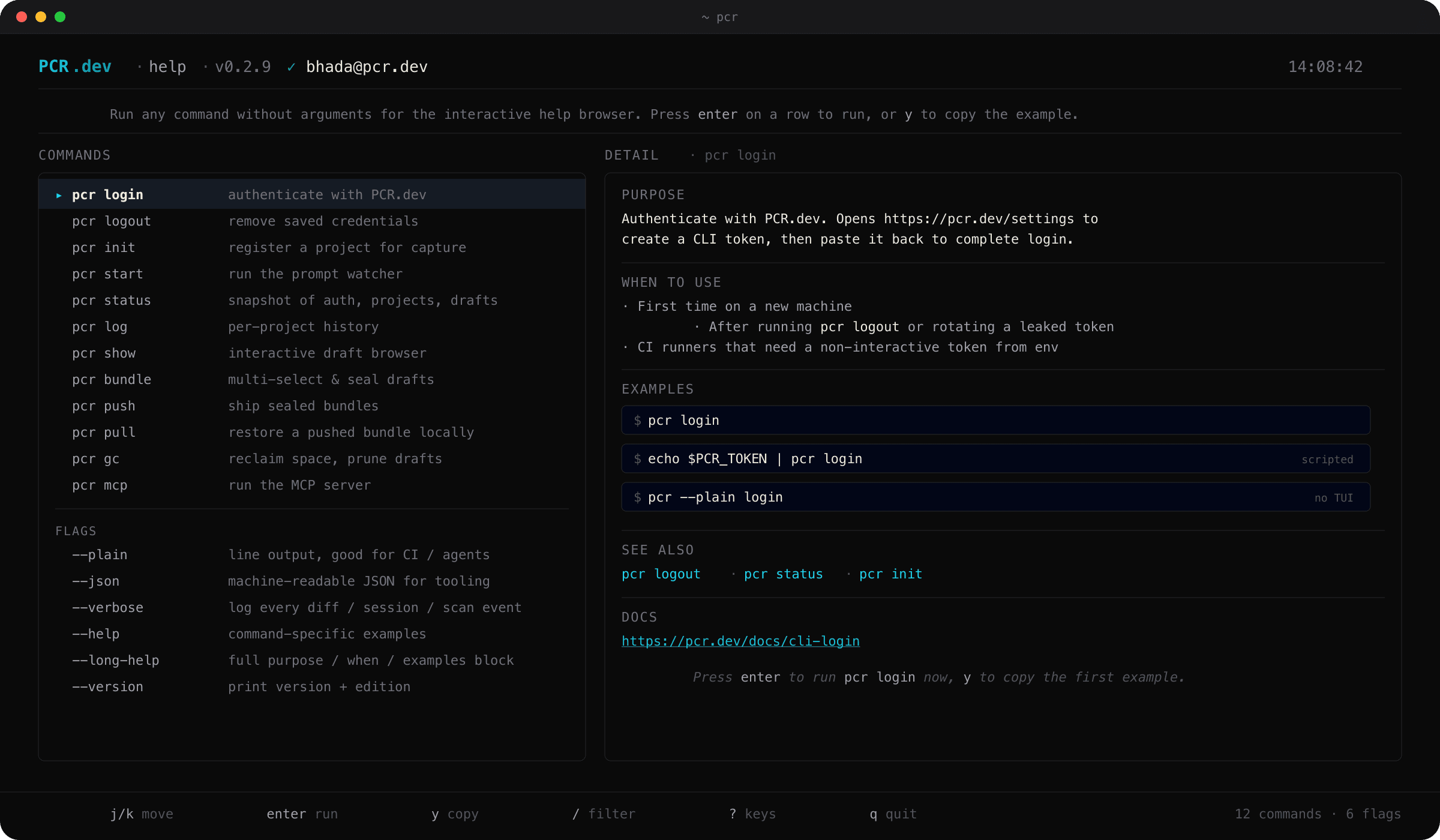
pcr (no args) · the interactive help browserWhen to use
- –First time on a new machine and you don't remember the command names
- –You want to see all available subcommands with their examples in one place
- –You'd rather scroll than type
pcr <thing> --helpfor each command
v0.2.9 update — richer per-command --help
pcr <cmd> --help now renders the same single-source-of-truth content the interactive browser uses (purpose / when-to-use / examples / see-also / docs link). The line CLI and the TUI no longer drift.
✦
pcr <cmd> --long-help shows the full block; -h keeps the terse summary plus the examples footer for muscle memory.