Bundling from the TUI
Multi-select, name, and push without leaving the browser
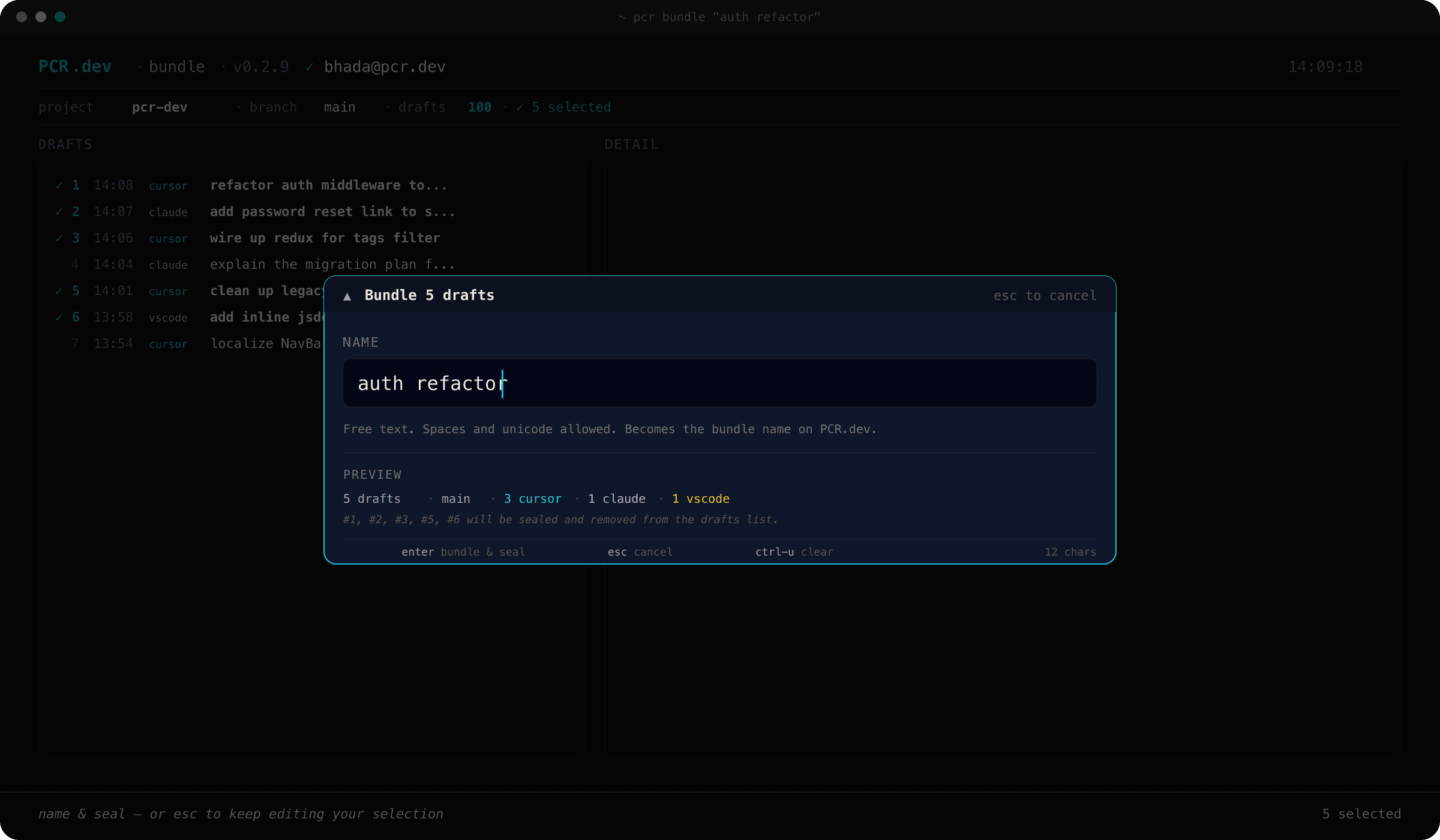
b opens the modal, enter sealsThe basic flow
Open the browser
From any registered repo.
pcr show
Select the drafts you want to ship
enter or space toggles the focused row and auto-advances. Hold J to paint downward, K to paint upward.
Open the name prompt
Press b. The prompt shows how many drafts are about to be bundled and accepts free text.
Confirm
enter creates the bundle. The bundled drafts disappear from the list and a footer flash confirms with Bundled N drafts as "name" — press p to push, q to quit.
Push, or keep working
Press p to immediately exit the TUI and run pcr push. Or quit with q and bundle more first — the p shortcut disarms automatically when the confirmation scrolls off.
Variations
- –Single-draft bundle: don't select anything. Pressing
bfalls back to the focused row, so the flow is justb → name → enter. - –Range bundle: press
:, type apcr bundle --select-style expression (1-5,8,12-15orall), enter. Thenb → name → enter. - –Bundle without push: just hit
qafter the success flash. The bundle is sealed and ready — runpcr pushwhenever you're ready.
Bundling is local and reversible. A bundle can be edited (pcr bundle "name" --add / --remove) or deleted (pcr bundle "name" --delete) until you push it.
Cancelling
From inside the name prompt, esc always cancels. q also cancels — but only when the input buffer is empty, so bundle names containing q ("quick auth fix", "qa pass") stay reachable.