pcr show / pcr bundle
The interactive draft browser
pcr show and pcr bundle (no args) are aliases for the same TUI — the central place you organize, bundle, and ship drafts. See Interactive TUI → The draft browser for the full layout and keybinding reference.
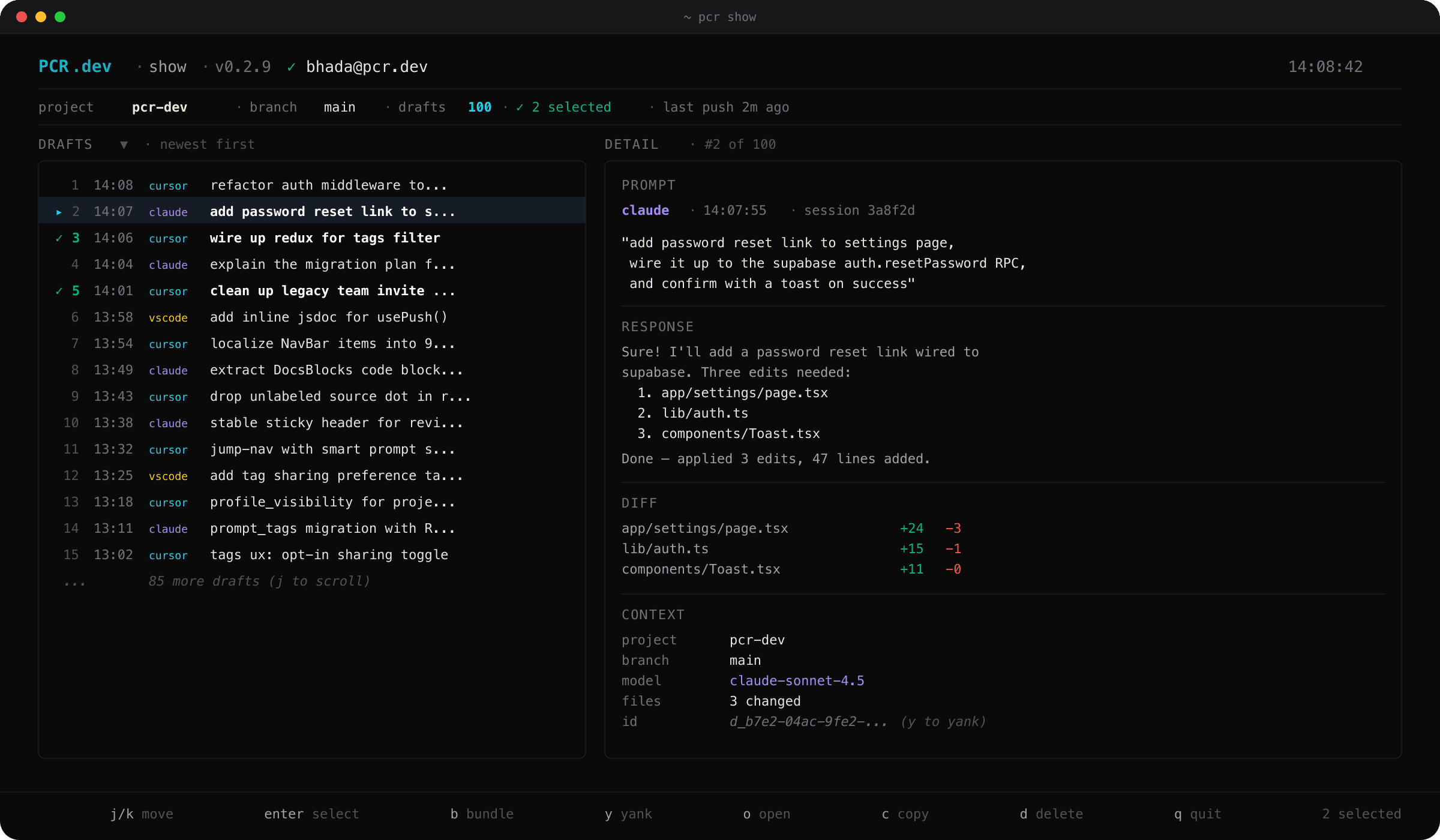
pcr show — three-pane interactive draft browserOpen the browser
pcr show              # at the newest draft
pcr show 3            # focused on draft #3
pcr show --all        # browse every draft, not just the most recent 100
pcr show --repo cli   # filter to drafts that touched the cli repo
pcr bundle            # alias for `pcr show`
v0.2.9: vim-yank, open-url, context strip
- –`y` yanks the focused draft id (or bundle id, when the cursor is in the bundles pane) to your system clipboard. Same key works on both panes.
- –`o` opens the focused bundle's review URL on PCR.dev in your default browser, or the focused draft's project page when you're on a draft row.
- –Context strip — a 1-row strip under the header shows
project · ⎇ branch · ◎ N drafts · ↑ Xm agoand refreshes every 2 seconds. No more bouncing back topcr statusfor orientation. - –`c` still copies the focused prompt body (unchanged) —
yis for ids,cis for content.
Why a recency cap?
By default the browser shows the most recent 100 drafts. Older drafts stay reachable via --all (just widens the view) or pcr gc --drafts-older-than (permanently deletes). When the focus would land in the hidden tail, the browser auto-expands so the requested draft is always visible.
Plain mode
pcr --plain show 3
Prints the full prompt, response, and metadata for draft #3 to stderr — handy for piping into other tools or running inside a CI job. Without a number, plain mode points you at pcr log instead.
Non-interactive bundling
pcr bundle accepts the same --select syntax as the TUI's : prompt, so you can bundle from scripts:
pcr bundle "auth fix" --select 1-5
pcr bundle "auth fix" --select 1,3,7
pcr bundle "auth fix" --select all
pcr bundle "auth fix" --add --select 6,7
pcr bundle "auth fix" --remove --select 2
pcr bundle "auth fix" --delete
pcr bundle --list